与之前介绍的Tex,MathTex等等类不一样,本次介绍的是Text类,是专门用来显示纯文本的。
Text类虽然不能显示数学公式,却提供了更加丰富和方便的方式来展示文字内容。
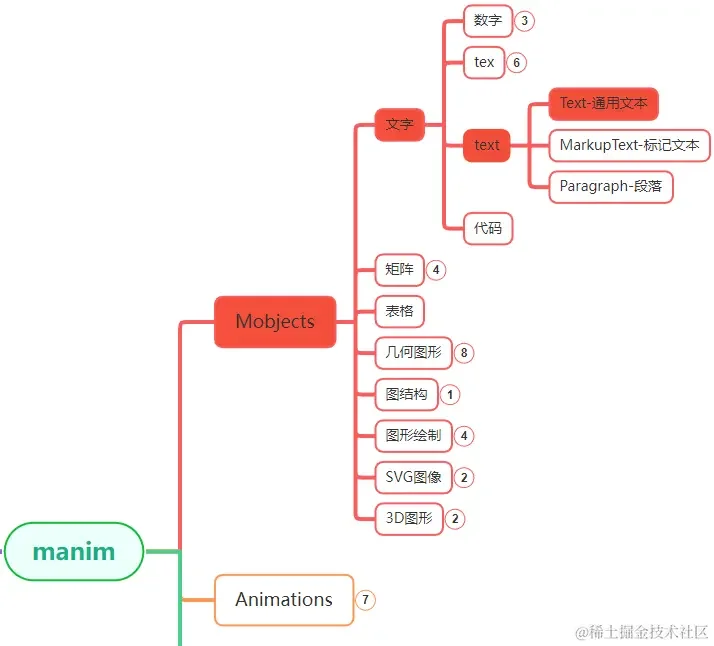
Text在manim各个模块中的位置大致如上图中所示。
1. 主要参数
Text的参数比较多,方便我们用多种方式来展示文本。
其中,常用的参数有:
| 参数名称 |
类型 |
说明 |
| text |
str |
文本内容 |
| font |
str |
字体 |
| warn_missing_font |
bool |
字体缺失时是否警告提示 |
| fill_opacity |
float |
透明度 |
| stroke_width |
float |
字体线条粗细 |
| color |
str |
颜色 |
| line_spacing |
float |
行间距(多行文本时生效) |
| slant |
str |
斜体 |
| weight |
float |
粗体 |
| t2c |
dict |
设置文本局部的颜色 |
| t2f |
dict |
设置文本局部的字体 |
| t2g |
dict |
设置文本局部的渐变色 |
| t2s |
dict |
设置文本局部的斜体 |
| t2w |
dict |
设置文本局部的粗体 |
| gradient |
tuple |
渐变色 |
| height |
float |
文本高度 |
| width |
float |
文本宽度 |
2. 主要方法
Text的方法主要有两个:
| 名称 |
说明 |
| font_list |
获取可用字体的列表 |
| init_colors |
初始化颜色,目前是空方法 |
通过font_list方法,可以获取目前系统中可用字体的名称,这样设置上面font参数的时候,不容易出错。
1
2
| text = Text("")
print(text.font_list())
|
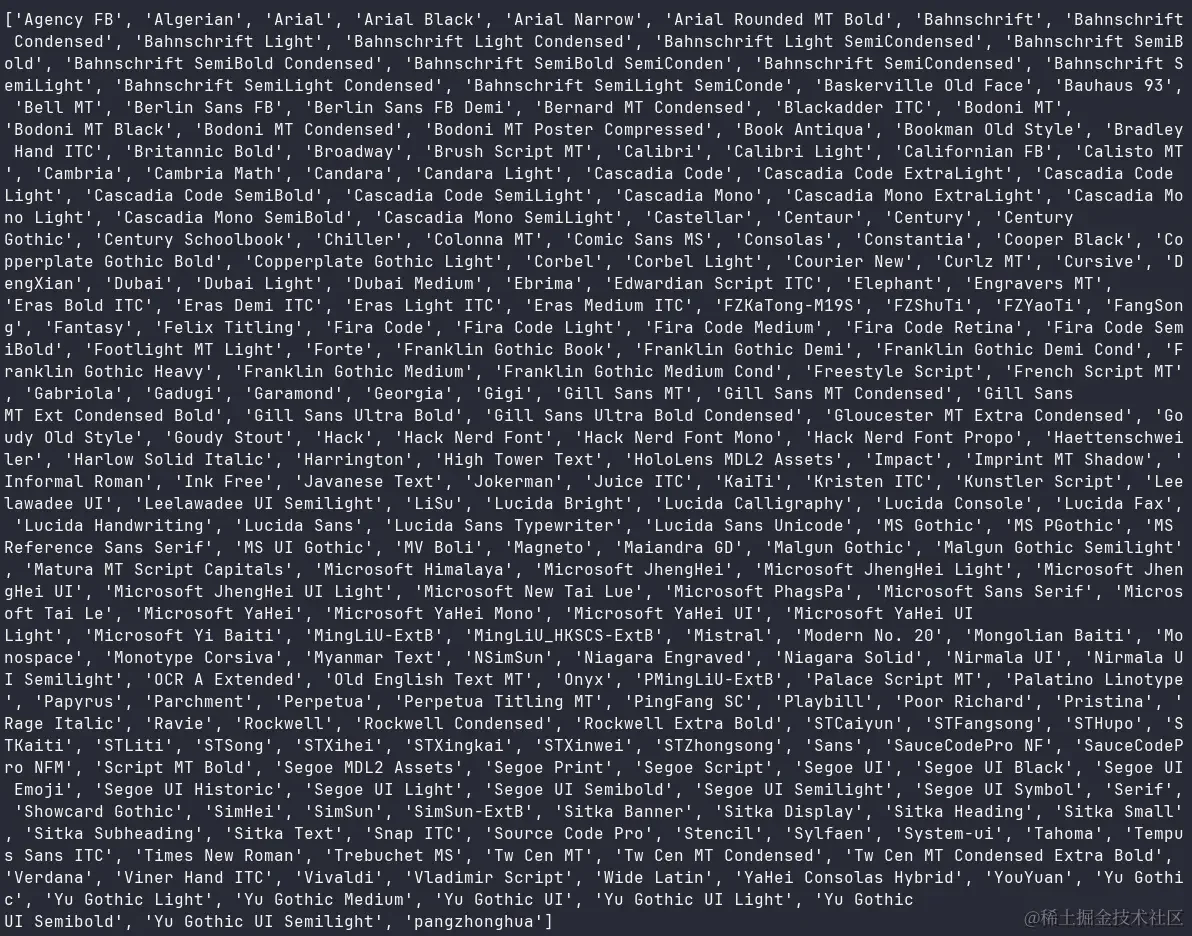
上面输出的是我系统中已安装的字体,不同的系统会有差别。
3. 使用示例
3.1. 字体相关设置
字体设置相关的参数主要有:font,font_size,warn_missing_font。
其中,主要使用的是font参数,font_size参数是设置字体大小的,
warn_missing_font参数是字体缺失时是否需要警告。
1
2
3
4
5
6
7
8
9
10
| from manim import *
class Demo(Scene):
def construct(self):
text = Text("Hello Manim", font="Hack")
text = Text("Hello Manim", font="STLiti")
text = Text("Hello Manim", font="Harrington")
_obj = text
self.play(FadeIn(_obj), run_time=1.0)
self.wait(3.00)
self.wait(1.60)
|
3.2. 显示样式设置
显示样式类似于一般富文本编辑器上面的加粗,斜体等等。
1
2
3
4
5
6
7
8
9
10
11
| from manim import *
class Demo(Scene):
def construct(self):
text = Text("Hello Manim", weight=BOLD)
text = Text("Hello Manim", slant=ITALIC)
text = Text("row1-Manim\nrow2-Manim",
line_spacing=2)
_obj = text
self.play(FadeIn(_obj), run_time=1.0)
self.wait(3.00)
self.wait(1.60)
|
3.3. 颜色相关设置
颜色有两种设置方式,一种是设置单一颜色,一种是设置渐变色。
1
2
3
4
5
6
7
8
9
10
11
12
13
| from manim import *
class Demo(Scene):
def construct(self):
text = Text("Hello Manim", color=RED)
text = Text("Hello Manim", color=YELLOW)
text = Text("Hello Manim1",
gradient=(RED, BLUE))
text = Text("Hello Manim2",
gradient=(BLUE, GREEN))
_obj = text
self.play(FadeIn(_obj), run_time=1.0)
self.wait(3.00)
self.wait(1.60)
|
3.4. t2* 系列设置
前面介绍的示例中,使用的参数,都是针对整个文本有效的,
而t2* 类的几个参数提供了更加灵活的设置方式,可以设置一部分文本的样式。
1
2
3
4
5
6
7
8
9
10
11
12
13
14
15
16
17
18
19
20
21
22
23
24
25
26
27
28
29
30
31
32
33
| from manim import *
class Demo(Scene):
def construct(self):
text = Text(
"Hello Manim",
t2f={
"Hello": "STLiti",
"Manim": "Harrington",
},
)
text = Text(
"Hello Manim",
t2s={"Hello": ITALIC},
t2w={"Manim": BOLD},
)
text = Text(
"Hello Manim",
t2c={
"Hello": RED,
"Manim": GREEN,
},
)
text = Text(
"Hello1 Manim2",
t2g={
"ello1": (RED, BLUE),
"anim2": (BLUE, GREEN),
},
)
_obj = text
self.play(FadeIn(_obj), run_time=1.0)
self.wait(3.00)
self.wait(1.60)
|
3.5. 其他参数
还有其他几个参数用的不太多,比如:stroke_width,height,width。
stroke_width可以设置字体的粗细,但是没有weight参数直观;
height和width也可以设置字体大小,但是没有font_size参数直观。
4. 附录

主观感受,仅供参考。本文采用 本文采用 CC BY-NC-SA 4.0 许可 协议,
完整转载请注明来自
数学动画引擎。